> ## Documentation Index
> Fetch the complete documentation index at: https://ghost-fabien-hkg-1948-document-built-in-s3-storage-adapter.mintlify.site/llms.txt
> Use this file to discover all available pages before exploring further.
# Share
Ghost includes a native share modal that lets readers share posts to social platforms without any custom UI or JavaScript in your theme.
***
 ## How it works
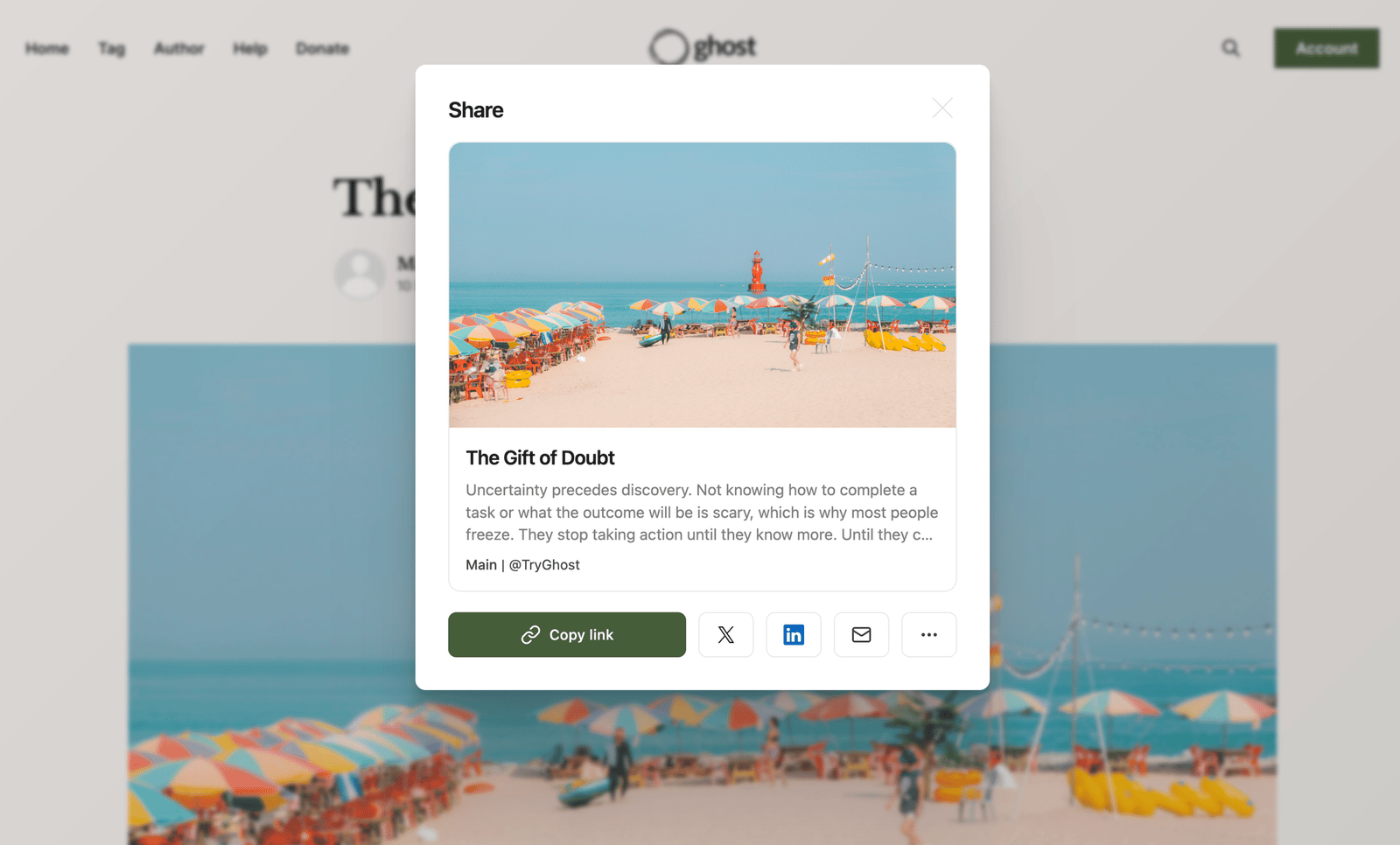
The share modal is triggered by linking to `#/share` on any URL. When a reader clicks a link that ends with `#/share`, Ghost opens a default modal with share options. Selecting a platform opens it with the current post's title and link pre-populated in a draft, ready to publish.
## Adding share to your theme
To expose the native share experience to readers, add a link to `#/share` anywhere in your theme:
```html theme={null}
Share
```
That's it — no additional JavaScript or UI needed. Ghost handles the modal and share options automatically. Place the link wherever makes sense in your theme: a post footer, a floating share bar, a menu, or inline within post content.
## Theme compatibility
Themes without a `#/share` link will continue to work as normal. All official Ghost themes already include a share link out of the box.
## How it works
The share modal is triggered by linking to `#/share` on any URL. When a reader clicks a link that ends with `#/share`, Ghost opens a default modal with share options. Selecting a platform opens it with the current post's title and link pre-populated in a draft, ready to publish.
## Adding share to your theme
To expose the native share experience to readers, add a link to `#/share` anywhere in your theme:
```html theme={null}
Share
```
That's it — no additional JavaScript or UI needed. Ghost handles the modal and share options automatically. Place the link wherever makes sense in your theme: a post footer, a floating share bar, a menu, or inline within post content.
## Theme compatibility
Themes without a `#/share` link will continue to work as normal. All official Ghost themes already include a share link out of the box.